“The scope change you don't document becomes the dispute you can't win.”
73% of architecture and engineering firms identify scope creep as their number one budget threat. That is not a project management failure. It is a documentation failure. The change happened. The record did not.
Scope creep prevention is about saying no. Scope change documentation is about capturing yes. Those are different problems, and most firms only have a system for one of them.
Every interior design project has scope changes. Clients discover new preferences on site visits. Contractors surface field conditions that change the plan. Materials arrive at lead times nobody anticipated, and substitutions follow. The project moves.
The difference between firms that stay profitable through those changes and firms that absorb the cost is not whether scope changes happen. It is whether every change lands in a written, dated, authorized record before the work begins. Firms that require formal written approvals have 60% fewer late-stage revisions. That gap is not about having more careful clients. It is about having a system.
This post is that system. Five steps that apply on any project, with any client, at any firm size.
Why Scope Change Documentation Is Different From Scope Creep Prevention
Prevention helps you recognize when a request exceeds the original agreement. Documentation captures, authorizes, and builds the record for every change that goes forward, whether a minor finish substitution or a full room addition.
Most writing on this topic conflates the two. A firm that has implemented a strong prevention protocol can still lose money on scope changes if the approved changes are not captured in a way that supports a fee change.
The threat is not just in changes that slip through without approval. It is in approved changes that never made it into a change order, verbal authorizations that became verbal disputes six weeks later, and additional hours that were never tied to a documented request.
Scope change documentation solves the record problem. It is the step between "the client asked for something new" and "the firm gets paid for delivering it."
The Five-Step Scope Change Documentation System
One phrase gets used in every client conversation that runs this system well: "I'll send you a quick note summarizing what we discussed so we both have a record. Once you confirm it, we can move forward." That makes written confirmation feel like a service, not a legal procedure.
Step 1 - Capture the Change Request Within 24 Hours
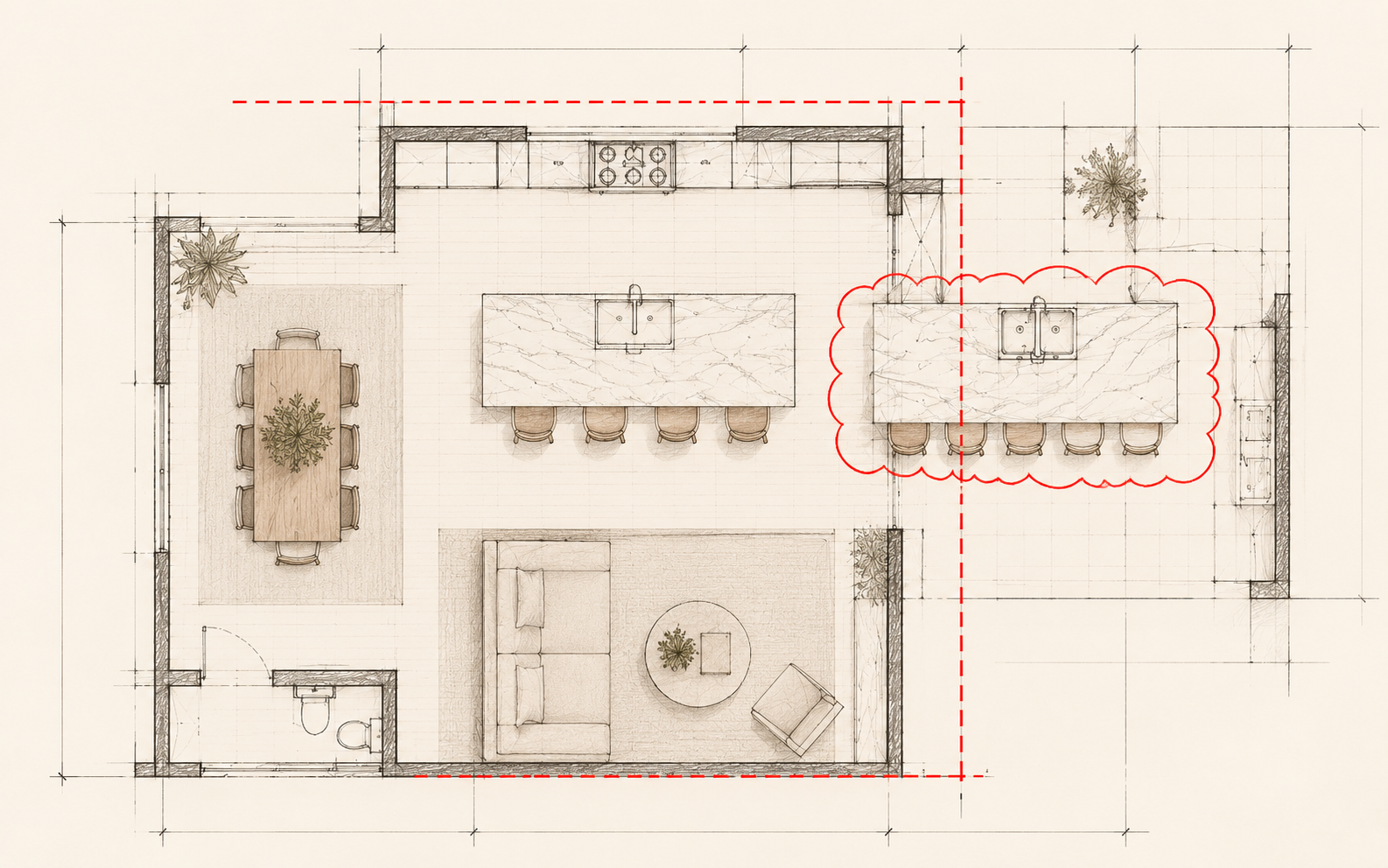
Capture every scope change request in writing within 24 hours, before any work on the change begins. The format does not have to be formal. A short email is enough: "This confirms your request from our August 4th call to expand the kitchen island from 72 inches to 84 inches and add a second prep sink."
What matters: the timestamp and the content. The record needs to show what was requested, when, and by whom. Everything that follows builds on that foundation.
Step 2 - Classify the Change (Minor, Moderate, or Major)
Classification determines whether the change needs written authorization, a fee amendment, or both. Minor: no impact on budget or schedule. Document it, but no fee change needed. Moderate: some impact, within existing contingency. Document it and get written acknowledgment. Major: material impact on budget, scope, or schedule. Formal change order with signature before work begins.
When a change sits between moderate and major, classify it as major. Issue the change order. Waiting for clarity costs more than the conversation.
Step 3 - Get Written Client Authorization Before Work Starts
A verbal agreement is not authorization. It is the beginning of a dispute. For minor changes, a clear email acknowledgment is enough. For major changes, a one-page change order with a signature line.
The phrase that helps: "I'll send you a quick note summarizing what we discussed so we both have a record. Once you confirm it, we can move forward." When you frame confirmation as a shared service, not a legal requirement, clients respond without friction.
Step 4 - Update the Project Record and Notify Everyone Affected
This step is immediate: it happens the moment authorization arrives, before a single contractor picks up the phone. Update the record, then notify every person whose work the change affects.
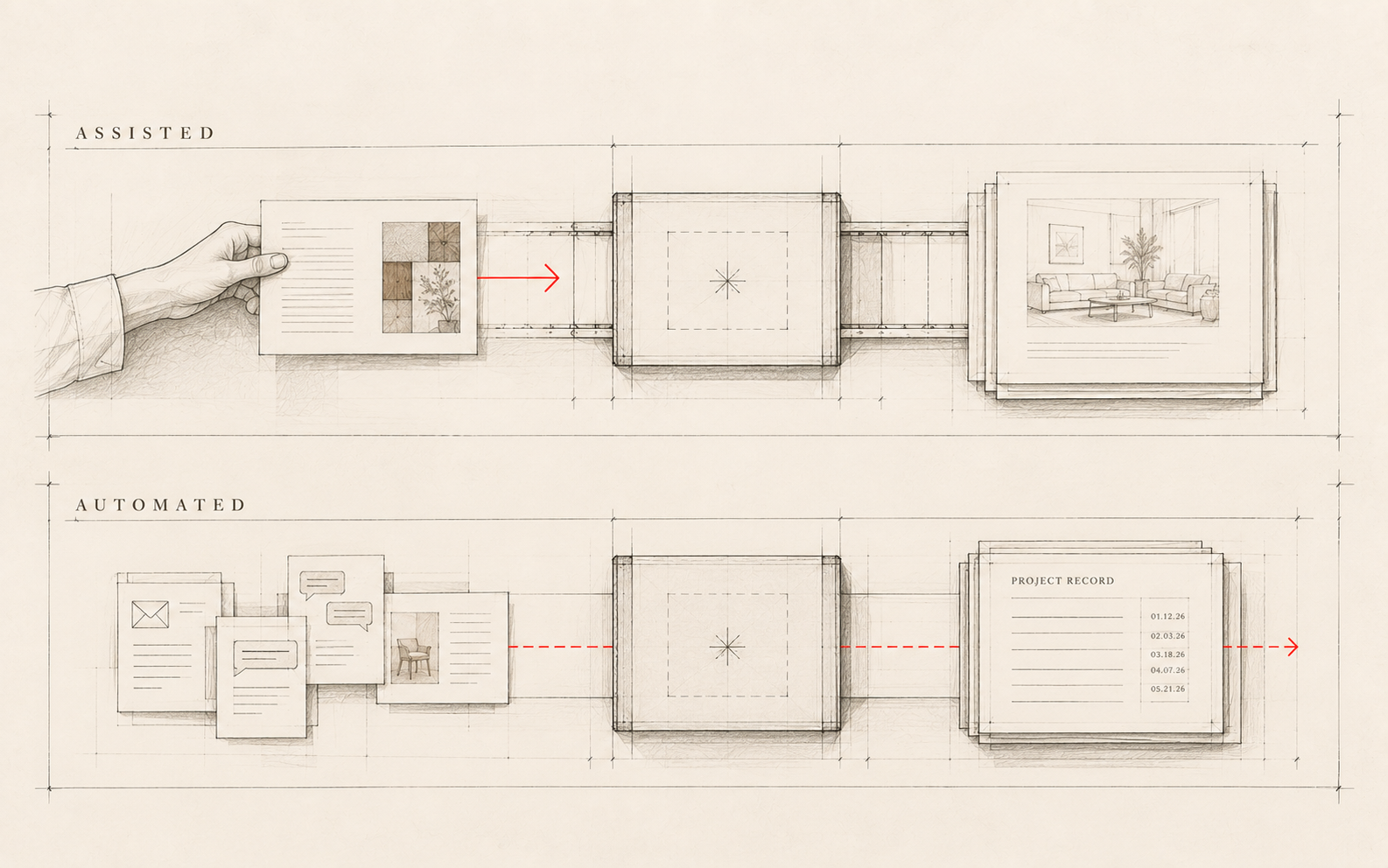
This is also where scope changes most often fall through, even after solid capture and authorization. The written record exists. Nobody told the installer. The installer completed the original scope. Now there is a rework situation. Notification is part of documentation. A scope change is not fully documented until every person it affects knows it happened. This is the step a tool like Archen™ handles automatically, reading the communication that already happened and building the record from it.
Step 5 - Review Open Change Orders at Every Phase Gate
This step is periodic: it happens at each project phase transition, not in real time. Design development to construction documents. Procurement to installation. At each gate, check for scope changes captured but not yet authorized, authorizations received but not yet entered in the record, and open change orders not yet returned with a signature.
This review catches gaps before they become billing disputes. A scope change authorized in week four is easier to discuss at the design development gate than at the final invoice. The record is current. The authorization is documented. The conversation is a confirmation, not a negotiation.
What to Include in a Scope Change Documentation Template
Six fields, each with a specific purpose. Here is what each one looks like filled in for the kitchen island change from Step 1:
- 1Date of Request - August 4th (the date of the original call, not when the form was completed)
- 2Change Description - "Kitchen island extended from 72 to 84 inches; second prep sink added at east end"
- 3Requesting Party - Client name, homeowner
- 4Authorization - "Confirmed via client email August 5th: 'I approve the expanded kitchen island scope as described in your note.'"
- 5Fee Impact - Additional design hours at hourly rate; client authorized fee separately in the same email
- 6Schedule Impact - Fabrication lead time extended by one week; client acknowledged in writing
That is the full record for one change. Six fields, one source email, no ambiguity.
Tools Interior Design Firms Use to Document Scope Changes
Most firms use a combination. The right system is the one that gets used consistently.
Shared document systems like Google Docs or Notion are simple and searchable, but the record does not build itself. Project management platforms track changes as tasks but require manual entry every time new information arrives. Dedicated change order tools create a clean authorization workflow but may not connect to the broader project record.
Archen™ reads your existing project communications: the email thread where the change request came in, the client's written authorization, the recap sent after the call. It builds the scope change record from what was already written. No separate log to maintain. No manual entry step. The record exists because the communication happened.
The scope change you don't document becomes the dispute you can't win.
The scope change you document within 24 hours, with written authorization and a record your whole team can retrieve, becomes an invoice.