"Automated" is the most overused word in design software marketing right now. Every vendor uses it. Almost no two of them mean the same thing by it.
That gap creates a real problem. A product that generates a mood board from a brief is described as "automated." A product that builds the project record from your existing emails is also described as "automated." Those are not the same thing. The difference determines whether you are buying time back with no additional effort, or buying a faster version of the same manual work you are already doing.
Two Things "Automated" Means in Software
When a software company says their product is automated, they mean one of two things. The distinction is specific and worth understanding before you evaluate anything in this category.
True Automation - The Software Acts Without You
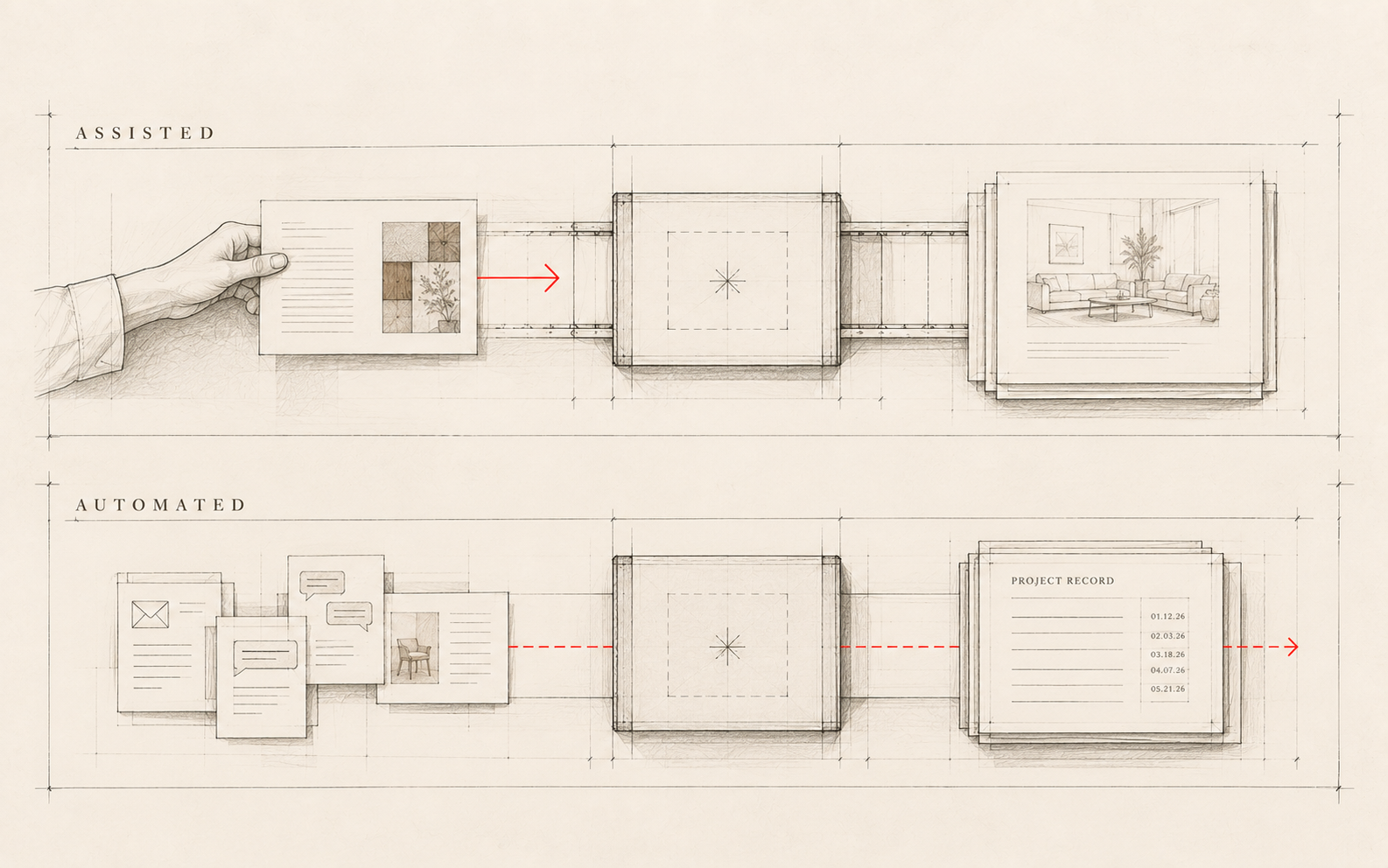
True automation means the software executes a process step without requiring any action from you. You do not press a button. You do not initiate a workflow. The process happens because the system is watching, a trigger condition was met, and the step completes without your involvement.
A simple example: your email client filters spam before you open your inbox. You sorted nothing. The system acted on its own.
In design software, true automation requires three things: access to the relevant data, a reliable trigger condition, and the ability to complete the step without a human judgment call in the middle. Most products do not meet all three. True automation in the design tools market is rarer than the marketing suggests. When you do find it, it tends to live in the operational infrastructure: the parts of the software you do not have to think about because they are already running.
Assisted Automation - The Software Acts When You Do
Assisted automation means the software makes a process faster or easier, but only when you start it. You are still the trigger.
A concrete example: a product that generates a mood board from a brief. You write the brief. You press generate. The output arrives in a fraction of the time it would have taken manually. That is a real improvement. But the software is not running in the background building mood boards without you. It waits for you to act.
The best output-layer tools right now are genuinely impressive, and faster is better than slower. But assisted automation means you still initiate the work. The software completes it quickly. True automation means the step executes without you. That distinction changes what you are actually buying.
What "Automated" Does NOT Mean in Design Software
Three things this word is not covering, regardless of how the vendor uses it.
Automated does not mean the software makes decisions for you. A product that suggests three tile options based on your project parameters is offering recommendations, not automating a selection. You still choose. The output changed; the judgment did not leave the room.
Automated does not mean the work disappears. A product that generates a first-draft specification from a template speeds up the drafting step. You are still reviewing it, editing it, and approving it. The work moved; it did not go away.
And automated does not mean the right layer of your business is being addressed. A tool that centralizes your project files in one location is useful. But it does not reduce the time spent managing those files; it relocates where that work happens. Moving work is not removing work. This last point is where most software marketing goes quiet.
Why the Output Layer Gets All the Attention
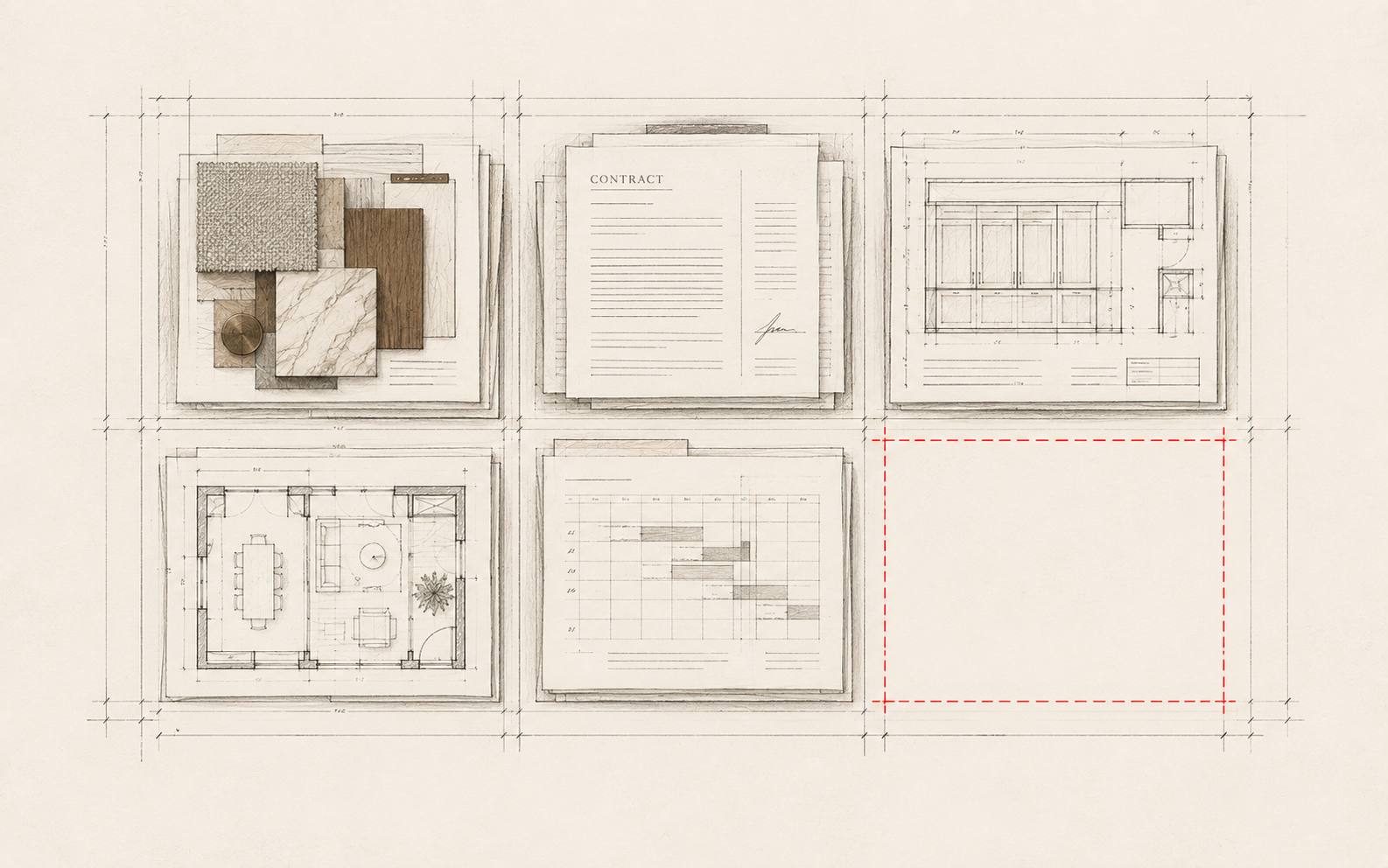
The output layer is the creative work: renderings, mood boards, floor plans, specifications, client presentations. Right now, almost all of the "automated" conversation in design software is happening here.
These tools are genuinely valuable. Faster concept generation, better visualizations, more polished deliverables; these are real improvements. The reason the output layer dominates the conversation is simple: outputs are visible. A before-and-after of a generated rendering is demonstrable in thirty seconds. The value is immediately legible to a potential buyer.
That is fair. Solving the most visible problem first is rational. But there is a layer of every design studio that this conversation does not touch.
The Operations Layer Most Firms Have Not Built Yet
The output layer is the creative work. The operations layer is everything that holds the project together while the creative work is happening: decisions, approvals, scope changes, vendor communications, contractor questions, client threads, change orders.
Every design project generates hundreds of these. They land in email threads, in personal notes apps, in call recordings nobody played back, in text messages that have scrolled off the screen by the time they matter. This is the operational layer that design practice has been missing, and most studios absorb it as the cost of doing business rather than as a problem worth solving with software.
The problem is not that the information does not exist. It is that it is not organized. When a client disputes an approval from month three of an eight-month project, finding the written record takes real time, if a written record exists at all. From what I see across design studios of every size, that kind of information reconstruction is one of the most consistent drains on non-billable hours.
Most studios handle the operations layer through some combination of email search, personal memory, and occasional catch-up notes. This works reasonably well on a short project. It works less well when a project runs eight months, when a team member changes mid-project, when a client disputes a decision from the early phases, or when a new designer needs to pick up context that left with the previous one. The gap is invisible until it costs something.
Almost none of the "automation" conversation in design software is about this layer. The tools getting the marketing attention make creative output faster. The layer where the day-to-day administrative load lives: the decisions, the approvals, the project record. That layer is still largely manual at most studios.
This is not a technology gap. The tools to address this layer exist. It is an awareness gap: most studios have not yet named the operations layer as a distinct problem worth solving with software.
What to Look for in Automated Interior Design Software
When a vendor tells you their product is automated, three questions cut through the claim quickly.
1. Is the automation triggered by you, or does it happen on its own?
Ask directly: "What triggers this process?" If the answer involves you clicking a button, filling a form, or initiating any workflow, the tool is assisted automation, not true automation. Both types have value, but only true automation gives you time back without any additional effort. Assisted automation speeds up work you are still doing yourself.
2. Which layer of the business does it automate?
Find out whether the tool operates on the output layer (renderings, mood boards, floor plans, design files) or the operations layer (project record, decisions, approvals, communications). Output-layer tools improve the quality and speed of creative work. Operations-layer tools reduce administrative overhead. Both matter. Most firms currently have only the first.
3. Does it reduce work, or just change where the work happens?
Ask specifically: does this step still happen with this tool, or does it happen without me? A tool that moves your project files into one central location is useful. It does not reduce the time spent managing those files. Genuine automation removes a step entirely, or executes it without requiring input from you. The distinction is the whole game.
Archen™ and the Operations Layer
Archen™ is built for the operations layer. It captures project history, decisions, approvals from your existing project communications. Emails, approval threads, messages: they become the project record without you entering anything additional. You are not maintaining a log or updating a system. The record builds from what you are already producing.
By the framework above, this is true automation. The trigger is not a button you press. It is your existing project communications. The step executes without a user action. What Archen™ automates is the record: the approval from month three that is retrievable when a client asks about it in month eight, the scope change that is documented when it happens rather than reconstructed when it becomes a dispute. Archen™ does not automate design. The creative work stays yours. That is a specific, bounded claim. It is the standard worth holding every vendor to.
Source note: This post makes no primary statistical claims. It is a definitional and framework piece. All product descriptions reflect Archen™'s documented functionality as of August 2026. Internal links reference live Archen™ Insights content: BLOG-007 (archen.io/insights/what-ai-for-design-gets-wrong) and BLOG-003 (archen.io/insights/the-asset-nobody-talks-about).